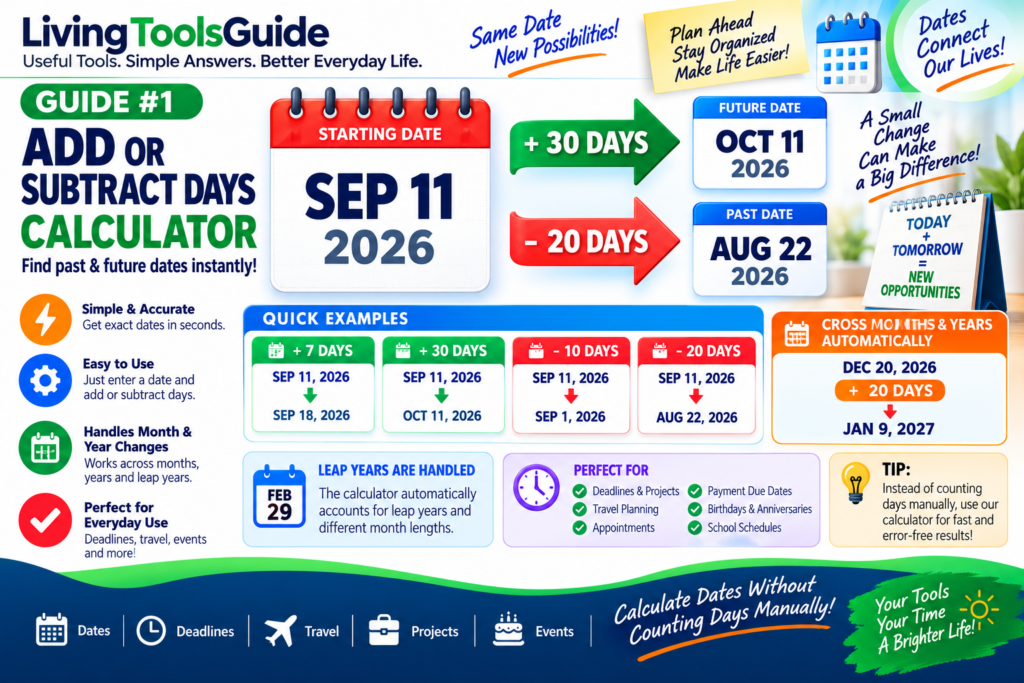
The Date Calculator makes it easy to add or subtract days from any date. Whether you are planning deadlines, appointments, travel, events, payment dates, or projects, this simple tool helps you find past and future dates quickly and accurately.
Sometimes you need to find a date a certain number of days in the future or the past.
For example, you may want to know:
- What date is 30 days from today?
- What date was 45 days ago?
- When will a 90-day deadline end?
- What date is 14 days before an appointment?
Instead of counting dates manually on a calendar, an Add or Subtract Days Calculator can calculate the answer instantly.
What Does Adding Days to a Date Mean?
Adding days means moving forward on the calendar from a starting date.
For example:
Starting date: September 11, 2026
Add: 10 days
September 11 + 10 days = September 21, 2026
The basic idea is:
Starting Date + Number of Days = Future Date
What Does Subtracting Days From a Date Mean?
Subtracting days means moving backward on the calendar.
For example:
Starting date: September 11, 2026
Subtract: 10 days
September 11 − 10 days = September 1, 2026
The basic relationship is:
Starting Date − Number of Days = Past Date
Add or Subtract Days Formula
The calculation can be represented simply as:
Result Date = Starting Date ± Number of Days
Use + when you want to move forward.
Use − when you want to move backward.
The calculator handles changes between months and years automatically.
For official information about calendars and date systems, see the U.S. Naval Observatory’s calendar reference.
Example 1 — Add 7 Days
Starting date:
September 11, 2026
Days to add:
7 days
Calculation:
September 11 + 7 days
Result:
September 18, 2026
Example 2 — Add 30 Days
Starting date:
September 11, 2026
Days to add:
30 days
Result:
October 11, 2026
Notice that the calculation automatically moves into the next month.
Example 3 — Subtract 20 Days
Starting date:
September 11, 2026
Days to subtract:
20 days
Result:
August 22, 2026
The calculation automatically moves backward into August.
Example 4 — Crossing Into a New Year
Starting date:
December 20, 2026
Add:
20 days
Result:
January 9, 2027
This is where a calculator is especially useful because it automatically handles month and year changes.
Why Use an Add or Subtract Days Calculator?
Manually counting dates can become confusing when calculations cross different months or years.
The Date Calculator is especially useful when planning deadlines, travel dates, appointments, project schedules, and important events.
A date calculator makes it easier to calculate dates for:
📅 Appointments and events
💼 Project deadlines
✈️ Travel planning
📦 Delivery dates
💳 Payment due dates
🏥 Follow-up dates
🎂 Birthdays and anniversaries
📚 School schedules
It also helps avoid mistakes when moving between months with different numbers of days.
Leap Years
Leap years can make manual date calculations more complicated.
Normally February has:
28 days
During a leap year it has:
29 days
A good date calculator automatically takes leap years into account when calculating the result.
Quick Examples
| Starting Date | Operation | Days | Result |
|---|---|---|---|
| Sep 11, 2026 | Add | 7 | Sep 18, 2026 |
| Sep 11, 2026 | Add | 30 | Oct 11, 2026 |
| Sep 11, 2026 | Subtract | 10 | Sep 1, 2026 |
| Sep 11, 2026 | Subtract | 20 | Aug 22, 2026 |
| Dec 20, 2026 | Add | 20 | Jan 9, 2027 |
Convert Your Date
Enter your starting date, choose whether you want to add or subtract days, and enter the number of days.
The calculator will instantly show the resulting date.
Why Date Calculations Are Useful
Date calculations are useful in many everyday situations. You may need to determine a payment deadline, schedule an appointment, plan a vacation, calculate a project completion date, or find a future event date. Adding or subtracting days manually can become confusing when the calculation crosses into another month or year. Leap years can also affect the result. Using an online calculator makes these calculations faster and helps reduce simple counting mistakes.