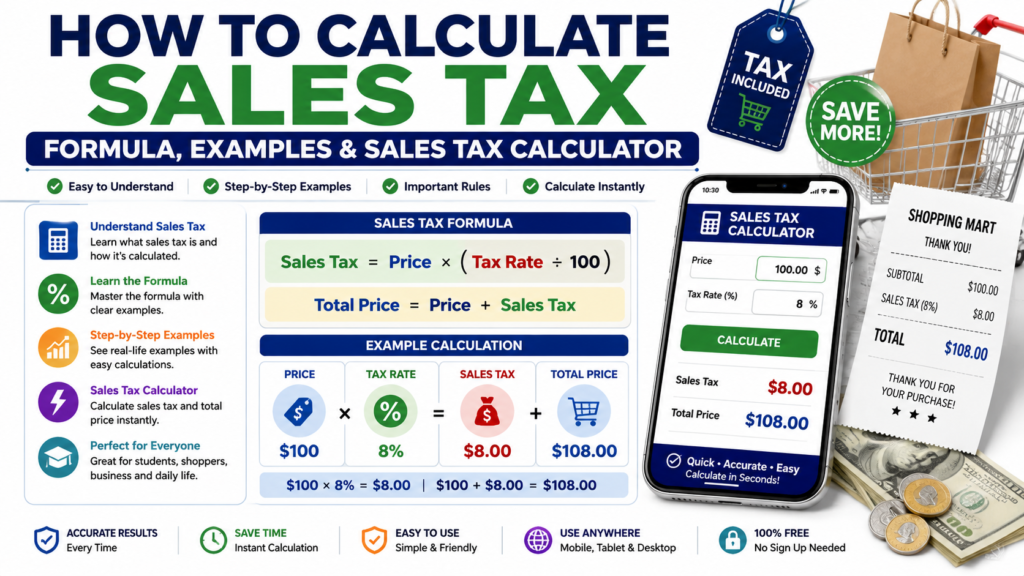
Sales tax is an additional amount that may be added to the price of goods or services. Knowing how to calculate sales tax can help you understand the final price of a purchase, check receipts, and plan your spending.
The calculation itself is simple once you know the original price and the applicable tax rate. Sales tax is generally calculated by multiplying the taxable purchase price by the tax rate expressed as a decimal.
Learning how to calculate sales tax can help you understand the true cost of a purchase before you reach the checkout.
What Is Sales Tax?
Sales tax is a tax applied to certain purchases of goods or services.
The tax is usually expressed as a percentage of the taxable purchase price. The applicable rate and which purchases are taxable can vary depending on the location and local tax rules.
For example, if an item costs $100 and the applicable sales tax rate is 5%, the sales tax would be $5.
The final price would therefore be $105.
Sales Tax Formula
The basic formula is:
Sales Tax = Purchase Price × (Tax Rate ÷ 100)
After calculating the tax, add it to the original purchase price:
Total Price = Purchase Price + Sales Tax
You can also calculate the total directly:
Total Price = Purchase Price × (1 + Tax Rate ÷ 100)
These are standard percentage-based sales-tax calculations.
Once you understand how to calculate sales tax, you can estimate the tax amount and total purchase price more easily.
How to Calculate Sales Tax Step by Step
Calculating sales tax requires only a few steps.
Step 1: Find the Purchase Price
Start with the price of the item before tax.
For example:
Purchase Price = $80
Step 2: Find the Sales Tax Rate
Suppose the applicable sales tax rate is:
Sales Tax Rate = 6%
Step 3: Convert the Percentage to a Decimal
Divide the percentage by 100:
6 ÷ 100 = 0.06
Step 4: Calculate the Sales Tax
Multiply the purchase price by the decimal tax rate:
$80 × 0.06 = $4.80
The sales tax is:
$4.80
Step 5: Calculate the Total Price
Add the tax to the original price:
$80 + $4.80 = $84.80
Therefore, the final price is:
$84.80
Example of a Sales Tax Calculation
Suppose you purchase an item costing $250 and the applicable sales tax rate is 8%.
First convert 8% to a decimal:
8 ÷ 100 = 0.08
Calculate the tax:
$250 × 0.08 = $20
Then add the tax to the original price:
$250 + $20 = $270
Therefore:
Sales Tax = $20
Total Price = $270
How to Find the Price Before Sales Tax
Sometimes you know the final price including tax but want to determine the original price.
You can use:
Original Price = Total Price ÷ (1 + Tax Rate ÷ 100)
For example, suppose the total is $108 and the tax rate is 8%.
$108 ÷ 1.08 = $100
So the original price before tax was:
$100
Use Our Free Sales Tax Calculator
Calculating sales tax manually is easy, but a calculator can make the process faster, especially when working with decimal tax rates or several different prices.
You can use the free Sales Tax Calculator on LivingToolsGuide to calculate the tax amount and total purchase price quickly.
Simply enter the purchase price and tax rate, then let the calculator calculate the result.
Why Sales Tax Rates Can Be Different
Sales tax rules are not necessarily the same everywhere.
The applicable rate may depend on factors such as the country, state, province, city, or other local jurisdiction. Different types of goods and services may also receive different tax treatment.
Because tax rules can change, always use the appropriate current rate for the location and purchase you are calculating.
Because sales tax rates can vary by state and locality, you can check the Streamlined Sales Tax state tables for state rates and official tax lookup resources.
Where Are Sales Tax Calculations Useful?
Sales tax calculations can be useful when:
- Checking the final cost of a purchase
- Planning a shopping budget
- Checking receipts
- Preparing invoices
- Comparing prices
- Estimating business transactions
- Understanding how tax affects a purchase
Knowing the basic formula makes it easier to understand how the final amount was calculated.
Frequently Asked Questions
How do I calculate sales tax?
Multiply the purchase price by the sales tax rate expressed as a decimal.
For example:
$100 × 0.05 = $5
At a 5% tax rate, the sales tax is $5.
How do I calculate the total price including tax?
Add the sales tax to the original purchase price.
Total Price = Purchase Price + Sales Tax
How do I convert a tax percentage to a decimal?
Divide the percentage by 100.
For example:
7% ÷ 100 = 0.07
Are sales tax rates the same everywhere?
No. Rates and rules can vary by location and by the type of product or service being purchased.
Can I calculate sales tax with a calculator?
Yes. A Sales Tax Calculator can automatically calculate the tax amount and final price after you enter the purchase price and applicable tax rate.
Final Thoughts
Sales tax is a straightforward percentage calculation once you know the purchase price and tax rate.
Knowing how to calculate sales tax is useful for shopping, budgeting and checking the final price of everyday purchases.
The main formula to remember is:
Sales Tax = Purchase Price × (Tax Rate ÷ 100)
Then add the tax to the purchase price to determine the total amount.
For faster calculations, use the Sales Tax Calculator on LivingToolsGuide.