Date Format Converter
Convert any date into common date formats used around the world.
Common date formats
Different countries and systems display dates in different ways. This calculator converts your selected date into several commonly used formats without changing the actual date.
What Is a Date Format?
A date format is the way a calendar date is written and displayed. Different countries, organizations, computer systems, and applications may arrange the day, month, and year in different orders.
For example, the same calendar date might appear as:
10/25/2026
25/10/2026
2026-10-25
25 October 2026
Although these examples can represent the same date, their structures are different.
Our Date Format Converter helps you change a date from one common format to another quickly and clearly.
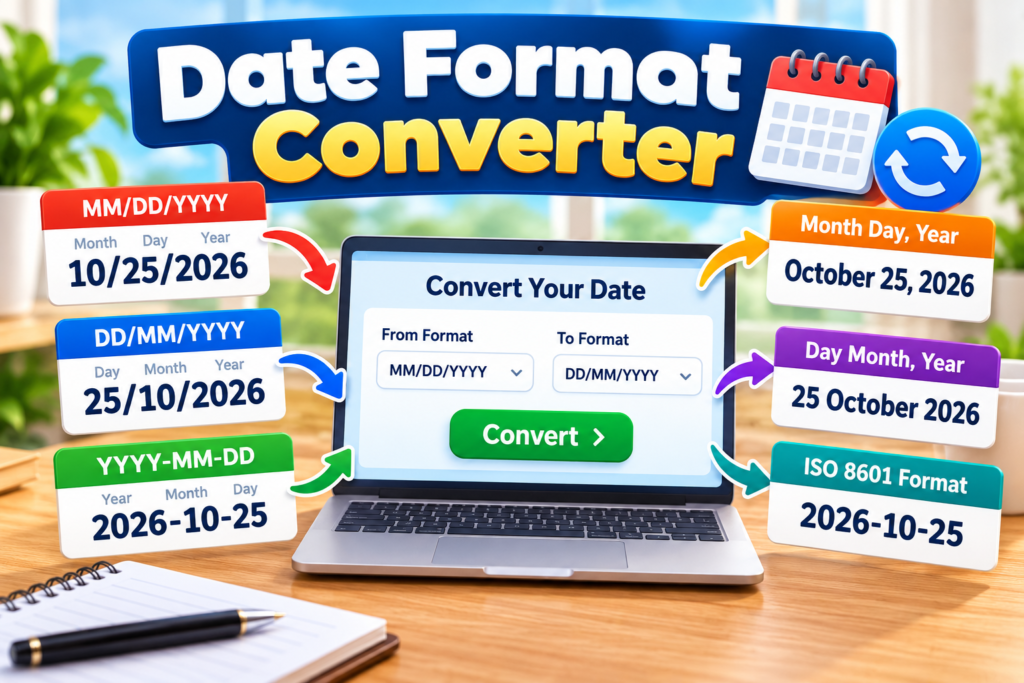
Common Date Formats
Several date formats are widely used around the world.
DD/MM/YYYY
This format places the day first, followed by the month and year.
Example:
25/10/2026
This means 25 October 2026.
The day-first format is commonly used in many countries around the world.
MM/DD/YYYY
This format places the month first, followed by the day and year.
Example:
10/25/2026
This also represents 25 October 2026.
Because both the month and day may be 12 or less, this format can sometimes create confusion when dates are shared internationally.
For example:
04/07/2026
Depending on the format being used, this could mean April 7 or July 4.
YYYY-MM-DD Format
Another common structure places the year first:
YYYY-MM-DD
Example:
2026-10-25
This year-month-day structure is particularly useful when dates need to be organized consistently.
It also has an important advantage when sorting dates as text. Because the year appears first, followed by the month and day, dates can naturally appear in chronological order when they are written consistently.
Understanding ISO 8601
ISO 8601 is an international standard for representing dates and times.
A commonly used ISO-style calendar date follows this structure:
YYYY-MM-DD
For example:
2026-12-31
This format reduces ambiguity because the order is clearly defined as year, month, and day.
Standardized date formats can be useful in databases, spreadsheets, software applications, data exchange, reports, and international communication.
For more information about international date and time standards, see the official ISO 8601 standard overview.
Why Date Formats Can Be Confusing
Date formats can cause mistakes because different regions may interpret the same numbers differently.
Consider:
03/05/2026
If interpreted as MM/DD/YYYY, this means:
March 5, 2026
If interpreted as DD/MM/YYYY, it means:
3 May 2026
Both interpretations are valid under different conventions.
For important documents, travel arrangements, appointments, deadlines, or international communication, using an unambiguous format can help prevent misunderstandings.
How to Convert a Date Format
The basic conversion process involves identifying the original positions of the day, month, and year, then rearranging them into the required format.
For example:
Original:
31/12/2026
Format:
DD/MM/YYYY
Convert to:
YYYY-MM-DD
Result:
2026-12-31
The calendar date itself has not changed. Only the way the date is written has changed.
Date Format Conversion Example
Suppose you have:
07/20/2026
If the original format is MM/DD/YYYY, the date represents:
20 July 2026
Converted to DD/MM/YYYY:
20/07/2026
Converted to YYYY-MM-DD:
2026-07-20
Converted to a written format:
20 July 2026
Each result represents the same calendar day.
How to Use the Converter
Using the converter is simple.
Enter or select the date you want to convert. Then choose the required output format.
The tool rearranges the date components into the selected format while preserving the original calendar date.
The Date Format Converter can be particularly helpful when working with dates from different countries or when preparing information for systems that require a specific date structure.
Use the Date Format Converter to quickly switch between common international date formats.
Where Date Conversion Is Useful
Changing date formats can be useful in many situations, including:
Spreadsheets and data entry
Travel documents and itineraries
International communication
Business reports
Database records
Website forms
School and university work
Project schedules
Software development
Consistent formatting can make dates easier to understand, organize, sort, and exchange.
Common Date Format Mistakes
One common mistake is assuming that every numeric date uses the same order.
For example, never automatically assume that 06/08/2026 means June 8 without knowing the expected format.
Another mistake is changing the numbers without considering the actual calendar date.
When converting formats, the day, month, and year values remain the same calendar components; only their displayed positions change.
It is also important to check whether a system requires leading zeros.
For example:
2026-03-05
may be required instead of:
2026-3-5
Two-Digit vs. Four-Digit Years
Dates are sometimes written using two-digit years, such as:
25/10/26
However, a four-digit year is generally clearer:
25/10/2026
Using all four digits reduces uncertainty about which century the date represents and is especially useful for records intended to remain understandable for a long time.
The Date Format Converter makes it easier to avoid confusion when dates use different day, month, and year orders.
Choosing a Clear Date Format
The best format depends on where and how the date will be used.
For local documents, a familiar regional format may be appropriate. For international communication or structured data, an unambiguous standardized format can be easier to interpret.
When clarity is especially important, writing the month as a word can also help:
25 October 2026
This avoids confusion between the day and month.
Final Note
Date formatting does not change the actual calendar date. It simply changes how the day, month, and year are arranged and displayed.
Understanding formats such as DD/MM/YYYY, MM/DD/YYYY, and YYYY-MM-DD can help prevent mistakes when working with dates from different sources.
For quick conversions, use the calculator above to rearrange your date into the format you need.
Explore more useful date, time, and everyday calculation tools on our Calculators page.