Concrete Calculator
Estimate how much concrete you need for a slab, floor, patio, driveway, or similar project.
How this calculator works
Enter the length, width, and depth of the area. The calculator multiplies these measurements to find the concrete volume and then adds your selected waste allowance.
What Is a Concrete Calculator?
Estimating the correct amount of concrete is an important part of planning many construction and home-improvement projects. Concrete volume depends mainly on the length, width, and depth or thickness of the area being filled.
Accurate measurements can help you purchase enough material while reducing unnecessary waste and extra cost.
The Concrete Calculator helps estimate the volume required using the dimensions you enter.
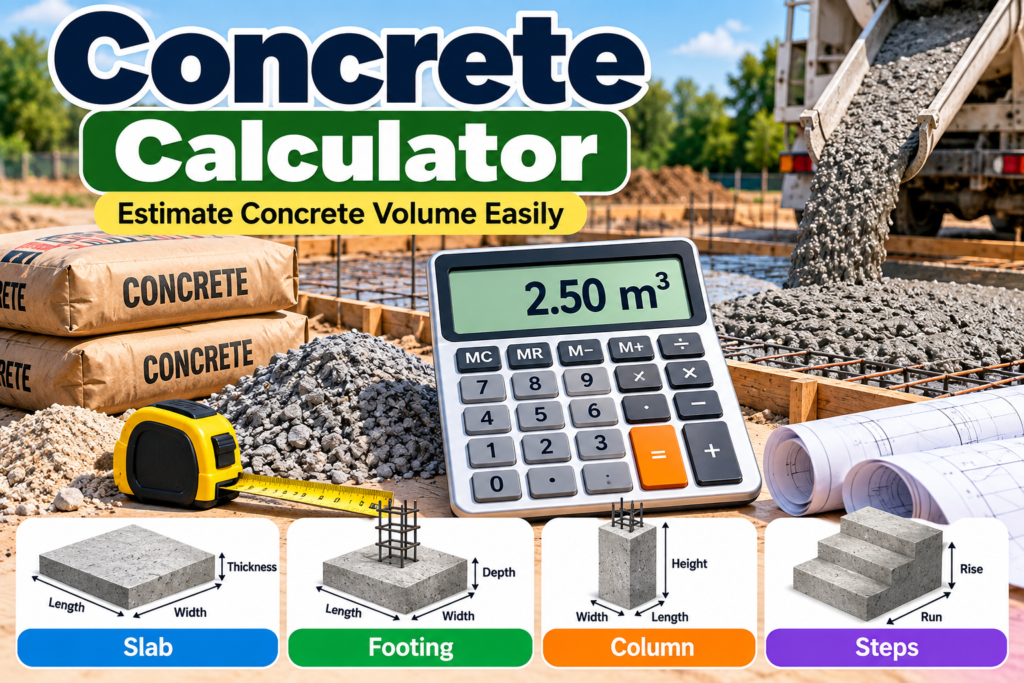
How to Calculate Concrete Volume
For a rectangular slab, footing, or similar area, the basic formula is:
Concrete Volume = Length × Width × Depth
All measurements must use compatible units before multiplying them together.
For example, suppose a slab measures:
Length = 5 meters
Width = 4 meters
Thickness = 0.10 meters
The calculation is:
5 × 4 × 0.10 = 2 cubic meters
Therefore, the project requires approximately 2 m³ of concrete before adding any allowance for waste or site conditions.
Calculating Concrete for a Slab
Concrete slabs are commonly used for patios, floors, driveways, walkways, sheds, and other structures.
To estimate the volume of a rectangular slab, measure its length and width and determine the required thickness.
Then multiply:
Length × Width × Thickness
Be careful when the thickness is measured in centimeters while the length and width are measured in meters. Convert the thickness to meters before calculating cubic meters.
For example:
10 cm = 0.10 m
Using consistent units prevents major calculation errors.
Concrete for Footings
Footings provide support beneath walls, posts, and other structural elements.
A simple rectangular footing can use the same basic volume formula:
Length × Width × Depth
If your project includes several identical footings, calculate the volume of one footing and multiply the result by the total number required.
Irregular foundations may need to be divided into several simple sections and calculated separately.
Concrete for Columns
A round concrete column requires a different formula because its cross-section is circular.
The volume of a cylinder is:
Volume = π × Radius² × Height
The radius is half of the column's diameter.
For example, if a column has a diameter of 0.4 meters, its radius is:
0.4 ÷ 2 = 0.2 meters
You can then use the radius and column height to estimate its volume.
Cubic Meters and Cubic Feet
Concrete is normally ordered by volume, not simply by surface area.
Depending on your location and supplier, concrete may be measured in:
- Cubic meters (m³)
- Cubic feet (ft³)
- Cubic yards (yd³)
Make sure the result from your calculation matches the unit used by your concrete supplier.
A project measured in feet may need to be converted to cubic yards before ordering ready-mix concrete.
Should You Add Extra Concrete?
Theoretical measurements may not exactly match real construction conditions.
Excavated areas can be slightly deeper or wider than planned. Ground surfaces may be uneven, forms can vary, and small amounts of material may be lost during pouring and handling.
For this reason, many projects include a modest additional allowance beyond the calculated volume.
The appropriate allowance depends on the project, site conditions, and supplier recommendations.
Our Concrete Calculator makes it easy to estimate the amount of concrete required for slabs, footings, floors, and other projects.
Example With Extra Allowance
Suppose your calculated requirement is:
3.00 m³
If you decide that a 5% allowance is appropriate:
3.00 × 0.05 = 0.15 m³
Then:
3.00 + 0.15 = 3.15 m³
Your estimated order would therefore be approximately 3.15 cubic meters.
Always confirm ordering quantities with your concrete supplier or contractor when accuracy is important.
Tips for Accurate Measurements
Measure each dimension carefully before calculating.
For irregular areas, divide the project into smaller rectangles, circles, or other simple shapes. Calculate each section separately and then add the volumes together.
Double-check whether measurements are in millimeters, centimeters, meters, inches, or feet before entering them.
Even a small mistake in slab thickness can significantly change the total concrete requirement over a large area.
Use the Concrete Calculator again whenever you change the dimensions or thickness of your project.
Common Uses
Concrete volume calculations are useful for many projects, including:
Driveways: Estimate material for a new concrete driveway.
Patios: Calculate the volume needed for an outdoor slab.
Walkways: Estimate concrete for paths around a property.
Foundations: Determine approximate material requirements for structural work.
Footings: Calculate concrete for supporting walls, posts, and columns.
Floors: Estimate concrete required for garages, sheds, and other floor slabs.
Understanding Your Result
The calculated result is an estimate based on the dimensions entered. Actual requirements can vary because of excavation conditions, uneven surfaces, formwork, spillage, compaction, and construction tolerances.
For small DIY projects, the estimate can help with initial material planning. For structural or large construction projects, quantities and specifications should be confirmed with an appropriately qualified contractor, engineer, or concrete supplier.
For technical information and resources about concrete construction, visit the Portland Cement Association.
Plan Your Concrete Project Carefully
A good concrete estimate begins with accurate measurements and consistent units. Check the dimensions twice, verify the required thickness, and consider whether an additional allowance is appropriate for your project.
Using a volume estimate before purchasing material can help reduce shortages, unnecessary excess, delays, and avoidable costs while making project planning easier.
Explore more useful construction and everyday calculation tools on our Calculators page.