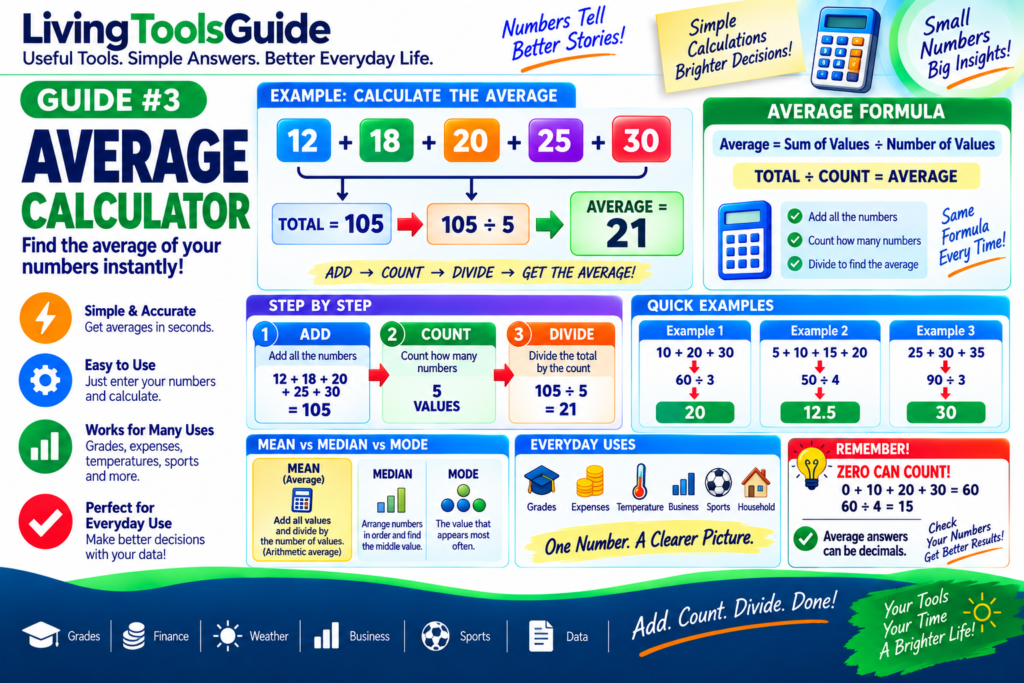
Averages are used every day to summarize groups of numbers into a single useful value. You might calculate an average for school grades, monthly expenses, temperatures, test scores, sales figures, travel times, sports statistics, or many other types of data.
The most common type of average is the arithmetic mean.
To calculate it, add all the numbers together and divide the total by the number of values.
An Average Calculator makes this process quick and easy, especially when you have many numbers to calculate.
What Is an Average?
An average is a number that represents the central or typical value of a group of numbers.
For example, suppose you have:
10, 20, 30
Add them:
10 + 20 + 30 = 60
There are:
3 values
Now divide:
60 ÷ 3 = 20
Therefore:
Average = 20
Average Formula
The basic formula is:
Average = Sum of All Values ÷ Number of Values
It can also be written as:
Average = Total ÷ Count
For example:
5 + 10 + 15 + 20 = 50
There are:
4 values
Therefore:
Average = 50 ÷ 4
Average = 12.5
How to Calculate an Average Step by Step
Calculating a basic average takes only three steps.
For more information about arithmetic averages and means, see the Arithmetic Mean reference from Wolfram MathWorld.
Step 1 — Add the Numbers
Suppose the numbers are:
12, 18, 20, 25, 30
Add them:
12 + 18 + 20 + 25 + 30 = 105
Step 2 — Count the Values
There are:
5 numbers
Step 3 — Divide the Total by the Count
Calculate:
105 ÷ 5 = 21
Therefore:
Average = 21
Example 1 — Average of Three Numbers
Suppose you have:
15, 25, 35
First find the total:
15 + 25 + 35 = 75
Number of values:
3
Calculate:
75 ÷ 3 = 25
Therefore:
Average = 25
Example 2 — Average Test Score
Imagine a student receives these five test scores:
72, 80, 85, 90, 93
Add the scores:
72 + 80 + 85 + 90 + 93 = 420
There are:
5 tests
Calculate:
420 ÷ 5 = 84
Therefore:
Average test score = 84
Example 3 — Average Monthly Expense
Suppose your expenses over four months are:
$500
$600
$550
$650
Add them:
500 + 600 + 550 + 650 = 2,300
Number of months:
4
Calculate:
2,300 ÷ 4 = 575
Therefore:
Average monthly expense = $575
Example 4 — Average Temperature
Suppose temperatures recorded over five days are:
25°C, 27°C, 28°C, 26°C, 29°C
Add them:
25 + 27 + 28 + 26 + 29 = 135
Number of temperatures:
5
Calculate:
135 ÷ 5 = 27
Therefore:
Average temperature = 27°C
Example 5 — Average with Decimal Numbers
Averages do not have to be whole numbers.
Suppose the values are:
5.5, 7.2, 8.3
Add them:
5.5 + 7.2 + 8.3 = 21
Number of values:
3
Calculate:
21 ÷ 3 = 7
Therefore:
Average = 7
Quick Average Examples
| Numbers | Total | Count | Average |
|---|---|---|---|
| 10, 20, 30 | 60 | 3 | 20 |
| 5, 10, 15, 20 | 50 | 4 | 12.5 |
| 25, 30, 35 | 90 | 3 | 30 |
| 40, 50, 60, 70 | 220 | 4 | 55 |
| 2, 4, 6, 8, 10 | 30 | 5 | 6 |
Average vs Total
The total and average are not the same thing.
Suppose:
10 + 20 + 30 = 60
Here:
Total = 60
But:
Average = 60 ÷ 3 = 20
Therefore:
Total = 60
Average = 20
The total tells you the combined amount.
The average gives you a representative value for the group.
Average vs Median
Average and median can also be different.
Consider:
10, 20, 30, 40, 100
Average
Add:
10 + 20 + 30 + 40 + 100 = 200
Divide by 5:
200 ÷ 5 = 40
So:
Average = 40
Median
The middle number is:
30
So:
Median = 30
The unusually high value of 100 pulls the average upward.
This is one reason median can sometimes provide a different picture of a dataset than the arithmetic mean.
Average vs Mode
The mode is the value that appears most frequently.
For example:
5, 10, 10, 15, 20
Average:
(5 + 10 + 10 + 15 + 20) ÷ 5
60 ÷ 5 = 12
Therefore:
Average = 12
But the number appearing most often is:
10
Therefore:
Mode = 10
Mean, Median and Mode
These three terms are often used when working with data.
Mean — add the values and divide by the number of values.
Median — arrange the values in order and find the middle value.
Mode — find the value occurring most frequently.
When people say average in ordinary arithmetic, they usually mean the arithmetic mean.
What Happens When Zero Is Included?
Zero is still a value and should normally be included when it is part of the dataset.
For example:
0, 10, 20, 30
Add:
0 + 10 + 20 + 30 = 60
Count:
4 values
Calculate:
60 ÷ 4 = 15
Therefore:
Average = 15
Do not automatically remove zero from a calculation just because it does not increase the total.
Can an Average Be a Decimal?
Yes.
For example:
10, 11, 12, 13
Total:
46
Count:
4
Average:
46 ÷ 4 = 11.5
Therefore:
Average = 11.5
A decimal answer is completely normal.
Why Are Averages Useful?
Averages make large sets of numbers easier to understand.
They are commonly used for:
🎓 Education — average grades and test scores.
💰 Finance — average expenses, income and costs.
🌡️ Weather — average temperatures.
📊 Business — average sales and performance.
🚗 Travel — average journey times or other measurements.
⚽ Sports — average scores and statistics.
🏠 Household planning — average bills and spending.
📈 Data analysis — summarizing groups of numerical values.
How to Use an Average Calculator
Instead of adding and dividing everything manually, an Average Calculator can perform the calculation for you.
1. Enter Your Numbers
For example:
12, 18, 20, 25, 30
2. Calculate
The calculator finds the total:
105
3. Count the Values
There are:
5
4. Get the Average
105 ÷ 5 = 21
Result:
AVERAGE = 21
This becomes particularly useful when your list contains many values.
Tips for Accurate Average Calculations
Make sure every number that belongs in the dataset is included.
Do not accidentally divide by the wrong number of values.
Remember that zero counts as a value when it legitimately belongs in the dataset.
Be careful when entering decimal numbers.
For very large datasets, using a calculator can reduce arithmetic mistakes.
Also remember that an average does not always tell the whole story. Extremely high or low values can significantly affect the arithmetic mean.
Calculate Your Average
You don’t need to manually add a long list of numbers and divide the result yourself.
The Average Calculator makes it easy to find the average of multiple numbers quickly and check your calculations accurately.
Enter your values into our Average Calculator to quickly calculate the arithmetic mean.