Text Case Converter
Convert your text instantly to UPPERCASE, lowercase, Title Case, Sentence case, alternating case, or toggle case.
How to Use the Text Case Converter
Type or paste your text into the box above and select the case style you want. Your converted text will appear immediately. You can then copy the result with one click.
Table of Contents
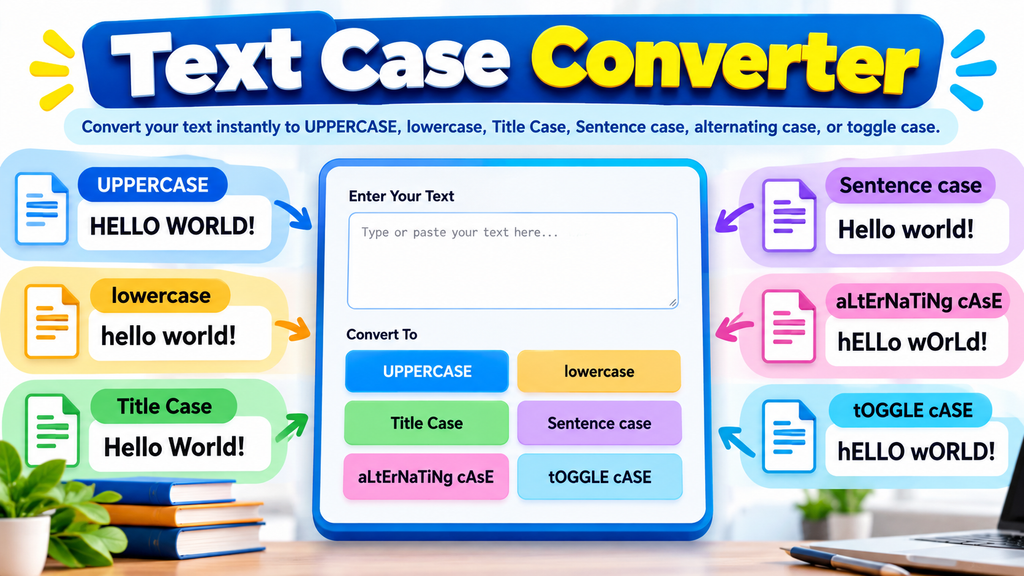
Text Case Converter – Change Uppercase, Lowercase and Title Case Online
Our free Text Case Converter helps you change the capitalization of words, sentences, and paragraphs in seconds. Whether you need UPPERCASE, lowercase, Title Case, Sentence case, alternating case, or toggle case, this simple online tool makes text formatting easier.
Instead of manually editing every letter, you can paste your text, choose a conversion option, and get the formatted result instantly.
This tool is useful for students, writers, bloggers, office workers, website owners, and anyone who regularly works with digital text.
What Is a Text Case Converter?
A Text Case Converter is an online tool that changes the capitalization of letters without requiring you to retype the entire text.
For example, imagine you accidentally type an entire paragraph using capital letters. Rather than rewriting it, you can convert the paragraph to lowercase or sentence case with a single click.
Different capitalization styles serve different purposes in writing, publishing, document preparation, and online communication.
How to Use the Text Case Converter
Follow these simple steps:
Step 1: Type or paste your text into the input box.
Step 2: Choose your preferred capitalization style.
Step 3: Review the converted text.
Step 4: Copy the result and use it in your document, email, article, or other project.
You can experiment with different options until you find the formatting that suits your needs.
Types of Text Case Conversion
1. UPPERCASE
Uppercase conversion changes letters to capital letters.
Original: Welcome to our website.
Converted: WELCOME TO OUR WEBSITE.
Uppercase is commonly used for short headings, labels, abbreviations, and text that requires emphasis.
Avoid writing long paragraphs entirely in uppercase because they can be difficult to read.
2. lowercase
Lowercase conversion changes capital letters to small letters.
Original: LEARN SOMETHING NEW TODAY.
Converted: learn something new today.
Lowercase formatting is useful when standardizing text, preparing certain usernames, or removing unwanted capitalization.
3. Title Case
Title Case capitalizes words according to a title-formatting style.
Original: how to improve your writing skills
Example result: How To Improve Your Writing Skills
Title Case is frequently used for article titles, headings, book titles, and presentation slides.
Keep in mind that different publishing style guides have different rules for capitalizing smaller words.
4. Sentence case
Sentence case generally capitalizes the first letter of a sentence while keeping most other letters lowercase.
Original: THIS IS A SIMPLE EXAMPLE.
Converted: This is a simple example.
Sentence case is commonly used in emails, paragraphs, descriptions, and everyday writing.
Proper names and specialized abbreviations may still require manual correction.
5. aLtErNaTiNg cAsE
Alternating case switches between uppercase and lowercase letters in a repeating pattern.
Example: tHiS iS aN eXaMpLe.
This style is mostly used for creative designs, humorous messages, and decorative text.
The exact pattern can depend on how a particular converter handles spaces and punctuation.
6. tOGGLE cASE
Toggle case reverses the capitalization of individual letters.
Original: Hello WORLD
Converted: hELLO world
This feature can help when text has been entered with the wrong capitalization.
Why Use an Online Capitalization Tool?
Changing letter case manually can take time, particularly when working with lengthy paragraphs or documents.
An online conversion tool offers several advantages.
Save Time
Convert text quickly without editing each letter individually.
Improve Consistency
Use a consistent capitalization style across headings, labels, and written content.
Correct Typing Mistakes
Fix accidental capitalization caused by Caps Lock or inconsistent typing.
Prepare Professional Documents
Format headings, emails, reports, and presentation text more efficiently.
Support Content Creation
Prepare titles, captions, descriptions, and other text for websites or social media.
Examples of Different Text Styles
Consider the sentence:
Learning online is easy.
Here are several possible formats:
| Style | Example |
|---|---|
| Uppercase | LEARNING ONLINE IS EASY. |
| Lowercase | learning online is easy. |
| Title Case | Learning Online Is Easy. |
| Sentence case | Learning online is easy. |
| Toggle case | lEARNING ONLINE IS EASY. |
These examples demonstrate how capitalization changes the appearance of text without changing its basic wording.
Tips for Better Text Formatting
Choose a capitalization style that matches your purpose.
Use sentence case for most ordinary paragraphs because it is familiar and easy to read.
Use title case for headings when appropriate to your publication’s style.
Reserve uppercase for short labels and situations where emphasis is necessary.
Always review converted text for proper nouns, brand names, acronyms, and technical terms.
Automatic capitalization cannot always recognize the intended meaning of every word.
If you also need to convert measurement units, try our Quick Unit Converter to switch between length, weight, temperature, volume, and speed units.
Frequently Asked Questions
Can I convert uppercase text to lowercase?
Yes. Paste your text into the converter and select the lowercase option.
How do I change text into Title Case?
Enter your text and select Title Case. Review the result if you need to follow a particular editorial style guide.
What is the difference between sentence case and title case?
Sentence case usually capitalizes the beginning of a sentence. Title case applies capitalization rules to words in headings or titles.
Can I fix text typed with Caps Lock?
Yes. You can convert incorrectly capitalized text into a more readable format.
Does changing capitalization affect the meaning?
Usually, capitalization changes presentation rather than wording. However, some proper names, acronyms, and specialized terms depend on specific capitalization.
Is this tool useful for blog writing?
Yes. Bloggers can use it to prepare headings, article titles, and other text while maintaining consistent formatting.
For more guidance on writing clearly and using correct capitalization, explore the helpful grammar and writing lessons available at Purdue OWL.
Final Thoughts
Clear and consistent capitalization makes written content easier to read and more professional.
Whether you are preparing a school assignment, writing an email, editing a blog post, or formatting a document, choosing the right text style can improve presentation.
Use our free Text Case Converter to change capitalization quickly and simplify your everyday writing tasks.