Business Days Calculator
Calculate the number of business days between two dates and optionally exclude holidays.
How this business days calculator works
Select a start date and an end date. Saturdays and Sundays are excluded automatically. You can also enter specific holiday dates to remove them from the business-day total.
What Are Business Days?
Business days are the days when businesses, banks, government offices, and many other organizations normally operate. In many countries, a standard business week runs from Monday through Friday, while Saturday and Sunday are treated as weekends.
However, working schedules can differ by country, industry, and organization. Public holidays can also reduce the number of working days within a particular period.
Counting business days instead of ordinary calendar days is useful when deadlines or schedules depend on actual working days.
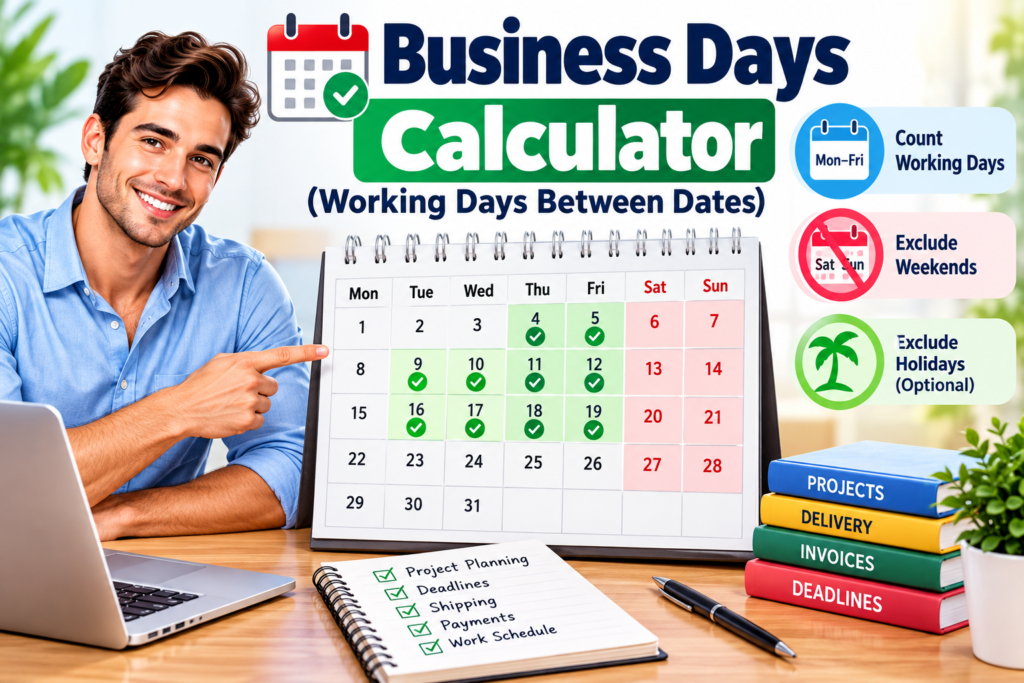
Our Business Days Calculator makes it easy to count working days between two dates while excluding weekends and selected holidays.
How to Calculate Business Days Between Two Dates
To calculate working days manually, begin with a start date and an end date. Count the days within that period and remove any Saturdays and Sundays.
If holidays also need to be excluded, subtract any applicable holidays that fall on normal working days.
A simple way to think about the calculation is:
Business Days = Total Days − Weekend Days − Excluded Holidays
For short periods, you may be able to count these days using a calendar. For longer periods, an automatic calculation is usually faster and helps reduce counting errors.
The Business Days Calculator performs this process automatically using the dates and holiday information you provide.
Example of Counting Working Days
Suppose a project begins on Monday, October 5 and ends on Friday, October 16.
There are two normal workweeks within this period. If Saturday and Sunday are excluded and there are no holidays, the period contains approximately 10 working days, depending on whether the start and end dates are included in the calculation.
If a public holiday occurs on one of those weekdays and you choose to exclude it, the number of available working days would decrease.
This is why it is important to understand how a particular calculation treats start dates, end dates, weekends, and holidays.
Calendar Days vs. Business Days
Calendar days include every day on the calendar:
Monday, Tuesday, Wednesday, Thursday, Friday, Saturday, and Sunday.
Business days generally exclude weekends and may also exclude public holidays.
For example, a period of 14 calendar days usually contains about 10 weekdays when it covers two complete Monday-to-Friday workweeks.
This distinction is important when dealing with contracts, deliveries, financial transactions, administrative processes, and project schedules.
Why Holidays Matter
Public holidays can affect working-day calculations because many businesses and government organizations close on those dates.
Holiday schedules vary by country and region. Some organizations may also observe additional company holidays.
For greater accuracy, enter the specific holidays that apply to your situation when the calculator provides an option to exclude them.
If a holiday falls on a Saturday or Sunday, it may not reduce the weekday count unless an alternative weekday is officially observed.
For official information about federal holidays and government schedules, visit the U.S. Office of Personnel Management.
Common Uses for Working-Day Calculations
Working-day calculations can be useful for many everyday and professional situations.
Project planning: Estimate how many working days are available before a deadline.
Shipping and delivery: Understand delivery estimates expressed in business days.
Invoices and payments: Calculate payment periods that specify working days rather than calendar days.
Employment: Estimate working periods between two dates.
Administrative deadlines: Check time periods for applications, documents, or other processes.
Customer service: Estimate response or processing periods stated in business days.
These calculations can make schedules easier to understand when weekends should not be counted.
Tips for Accurate Results
Always verify your start date and end date before calculating.
If holidays need to be excluded, enter them carefully using the required date format. Remember that holiday calendars can differ depending on your country, state, province, or organization.
You should also check whether a particular deadline counts the starting day, ending day, both dates, or neither. Different organizations may use different rules.
Understanding Your Result
The result shows the number of working days between the dates according to the calculator's rules and the information you entered.
It is useful for general planning, but official deadlines may follow specific legal, contractual, banking, or organizational definitions of a business day.
When a deadline has legal or financial consequences, check the applicable official rules rather than relying only on a general online calculation.
Our Business Days Calculator makes it easy to count working days
Plan Dates More Easily
Counting working days manually becomes inconvenient when a period includes several weekends and holidays. A date tool can simplify the process and provide a quick result for planning.
Whether you are organizing a project, estimating a delivery, checking a payment period, or planning a work schedule, calculating business days can help you understand how much actual working time is available.
Explore more useful date and time calculation tools on our Calculators page.