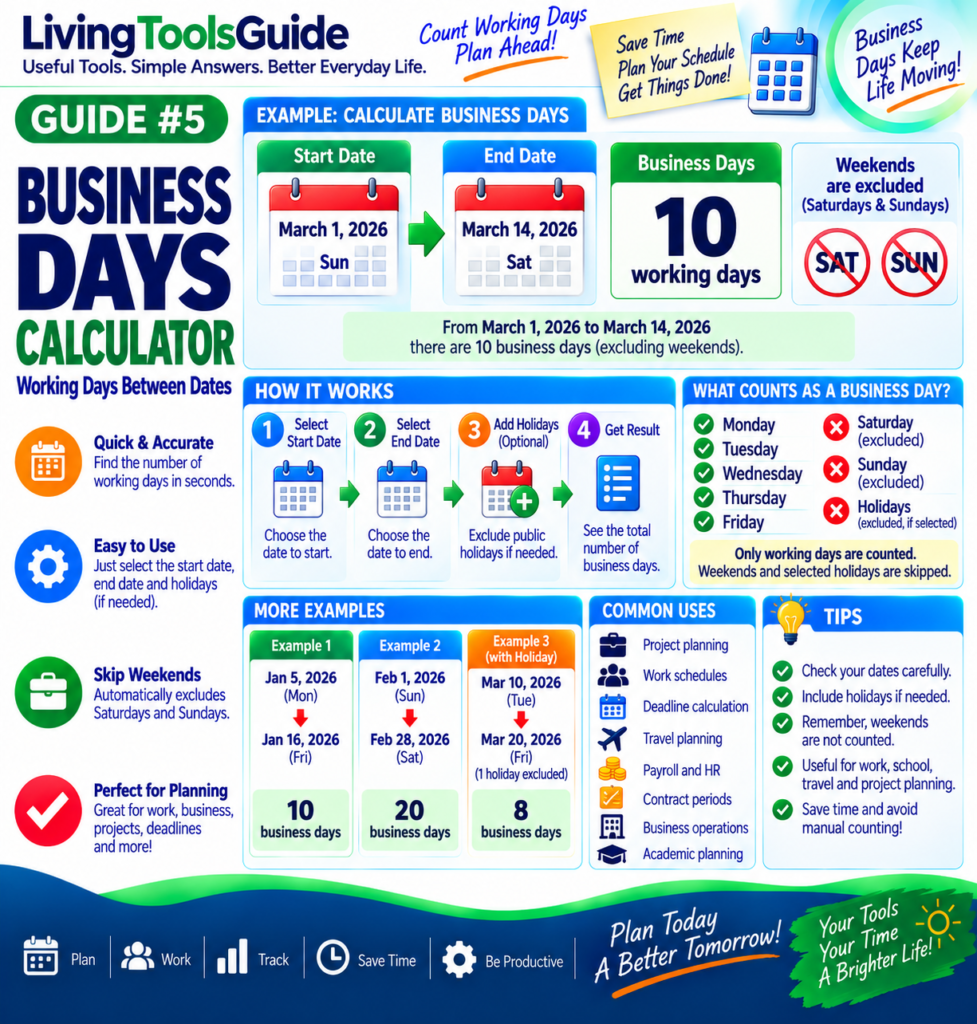
When planning a project, work schedule, delivery, payment deadline, or business task, you often need to know how many working days fall between two dates.
Simply counting calendar days may give the wrong answer because most businesses do not count Saturdays and Sundays as working days. Public holidays may also need to be excluded.
A Business Days Calculator makes this easy by automatically counting the working days between a start date and an end date.
What Is a Business Day?
A business day is generally a normal working day.
For a standard Monday-to-Friday workweek:
Monday → Business Day
Tuesday → Business Day
Wednesday → Business Day
Thursday → Business Day
Friday → Business Day
Saturday and Sunday are normally excluded.
Depending on your country, company, or purpose, public holidays may also be excluded.
Business-day calculations may also need to account for public holidays. See the U.S. Office of Personnel Management federal holiday schedule for official U.S. federal holiday dates.
What Is a Business Days Calculator?
A Business Days Calculator determines the number of working days between two selected dates.
Instead of manually looking through a calendar and removing every weekend, you simply enter:
Start Date → End Date → Calculate
The calculator then gives you the number of business or working days in the selected period.
Example — Business Days Between Two Dates
Suppose you want to calculate the working days between:
Start Date: March 1, 2026
End Date: March 14, 2026
March 1, 2026 is a Sunday, and March 14, 2026 is a Saturday.
The weekdays within this period are:
March 2–6 = 5 business days
and
March 9–13 = 5 business days
Therefore:
5 + 5 = 10 business days
So there are 10 working days in this period when Saturdays and Sundays are excluded.
Calendar Days vs Business Days
These two terms are important to understand.
Calendar days include every day:
Monday through Sunday.
Business days normally include only:
Monday through Friday.
For example, a 14-day calendar period can contain only about 10 standard business days, depending on which weekdays the period begins and ends on.
What About Public Holidays?
Public holidays can affect the result.
Suppose a date range contains:
10 weekdays
but one of those weekdays is a recognized holiday.
If that holiday is excluded, the result becomes:
10 − 1 = 9 business days
Holiday schedules differ by country, region, and organization, so always check whether the calculation you are making should exclude holidays.
How to Use the Business Days Calculator
Using the calculator is simple.
Step 1 — Select the Start Date
Choose the first date of the period.
Step 2 — Select the End Date
Choose the final date.
Step 3 — Choose Holiday Options
If the calculator provides holiday settings, select the appropriate option for your calculation.
Step 4 — Calculate
Click the calculate button.
The calculator will count the applicable weekdays and display the number of business days between the dates.
Common Uses for a Business Days Calculator
A working-days calculator can be useful for many everyday and professional tasks, including:
- Project planning and deadlines
- Work schedules
- Payroll and HR calculations
- Invoice and payment deadlines
- Shipping and delivery estimates
- Contract periods
- School and academic schedules
- Travel planning
- Administrative processing times
- Business operations
Business Days and Deadlines
Business-day calculations are especially important when a deadline is described as something like:
“within 5 business days.”
This usually does not mean five calendar days.
For example, if a five-business-day period begins on a Monday, weekends normally do not count toward the five working days.
However, the exact interpretation of deadlines can depend on the organization, agreement, jurisdiction, holidays, and whether the starting or ending date is included.
For important legal, financial, contractual, or government deadlines, always verify the applicable rules rather than relying only on a general calculator.
Why Use a Business Days Calculator?
Counting working days manually becomes difficult when a date range covers several weeks or months.
A calculator can help you:
Save time — avoid manually checking every date.
Reduce mistakes — weekends can be excluded automatically.
Plan accurately — useful when scheduling projects and deadlines.
Compare date ranges — quickly test different start and end dates.
Business Days Across Different Countries
Not every country or organization follows exactly the same working week.
While Monday through Friday is common, some locations and workplaces use different weekend or working-day arrangements.
Public holidays also vary significantly.
Therefore, a general Business Days Calculator should be treated as a planning tool unless it specifically supports the holiday calendar and working-week rules you require.
Tips for Accurate Results
Always check your start date and end date carefully.
Confirm whether the calculation should include or exclude the start and end dates.
Check whether public holidays need to be removed.
Make sure the calculator’s definition of a weekend matches the working week relevant to you.
For official deadlines, confirm the result with the organization responsible for the deadline.