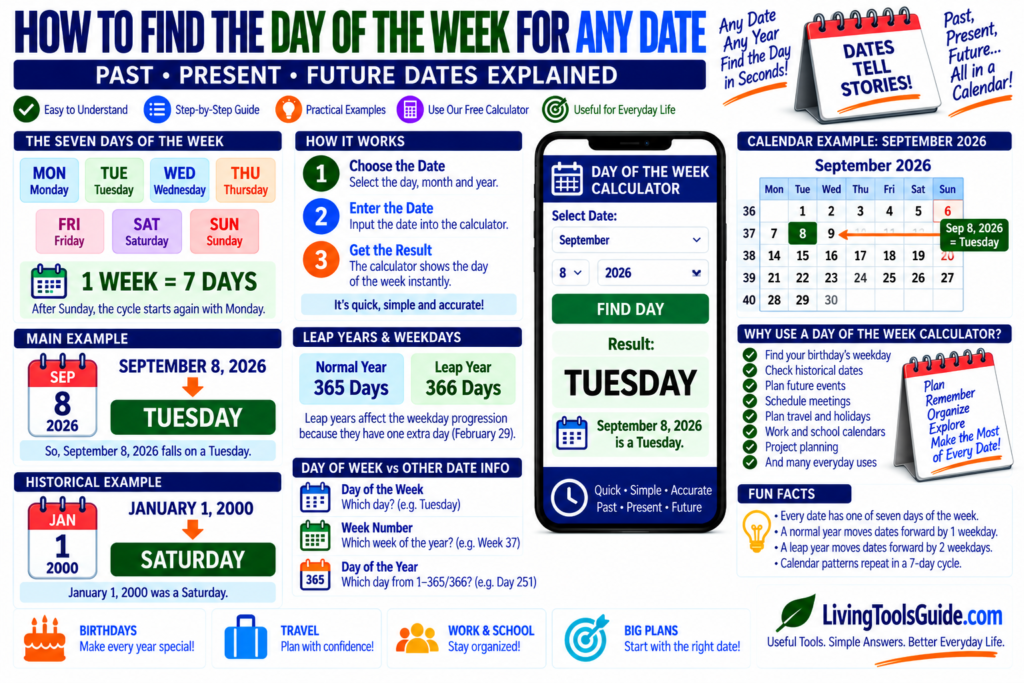
Have you ever wondered what day of the week a particular date fell on? Perhaps you want to know whether your birthday was a Monday, Tuesday, or another day, or you need to check the weekday of a historical or future date.
Every calendar date corresponds to one of seven days:
Monday, Tuesday, Wednesday, Thursday, Friday, Saturday, or Sunday.
Although the weekday can be calculated manually using calendar formulas, the easiest method is to use a Day of the Week Calculator.
What Is a Day of the Week Calculator?
A Day of the Week Calculator determines the weekday associated with a specific calendar date.
You enter:
Day
Month
Year
The calculator then determines whether that date falls on:
Monday
Tuesday
Wednesday
Thursday
Friday
Saturday
or:
Sunday
This is useful for both past and future dates.
For official information about time measurement and standards, see the NIST guidance on time.
The Seven Days of the Week
A standard week contains exactly:
7 days
They are:
Monday
Tuesday
Wednesday
Thursday
Friday
Saturday
Sunday
After Sunday, the weekly cycle begins again with Monday.
Because the seven-day cycle repeats continuously, every calendar date can be assigned a weekday.
How to Find the Day of the Week for a Date
Step 1: Choose the Date
Start with the exact date you want to check.
For example:
September 8, 2026
Step 2: Enter the Day, Month and Year
Enter all three parts of the date into the calculator.
For example:
Day: 8
Month: September
Year: 2026
Step 3: Calculate the Weekday
The calculator processes the calendar date and returns its corresponding weekday.
For this example:
September 8, 2026 = Tuesday
Therefore:
Day of the Week → Tuesday
Example: What Day Was January 1, 2000?
Enter:
January 1, 2000
The result is:
Saturday
Therefore:
January 1, 2000 was a Saturday.
This type of calculation is useful when researching historical dates.
Example: What Day Was July 20, 1969?
July 20, 1969 is famous as the date associated with the Apollo 11 Moon landing.
The date fell on:
Sunday
Therefore:
July 20, 1969 = Sunday
This demonstrates how weekday calculations can also be useful when exploring historical events.
Finding the Weekday of Your Birthday
One popular use for a Day of the Week Calculator is finding the weekday on which someone was born.
Simply enter the person’s:
Date of birth
and the calculator can determine the corresponding weekday.
For example, if the result is:
Friday
you know that the birthday occurred on a Friday.
You can also check what weekday the birthday will fall on in future years.
Finding the Weekday of a Future Date
The calculator is not limited to historical dates.
You can also use it for future dates when planning:
- Holidays
- Birthdays
- Anniversaries
- Meetings
- Weddings
- Trips
- Events
- Project deadlines
This makes it useful for both curiosity and practical scheduling.
Why Does the Weekday Change Each Year?
A normal year contains:
365 days
Since:
365 = 52 weeks + 1 day
the same calendar date normally moves forward by one weekday in the following year.
For example, if a particular date falls on Monday one year, it may fall on Tuesday the next year.
Leap years affect this pattern because they contain:
366 days
which equals:
52 weeks + 2 days
The extra leap day changes the weekday progression.
How Leap Years Affect Weekdays
During a leap year, February contains:
29 days
instead of:
28 days
This extra day affects weekdays for dates later in the year.
That is one reason manual weekday calculations can become complicated when working across many years.
A calculator handles these calendar rules automatically.
Day of the Week vs Week Number
These two calendar concepts describe different things.
Day of the Week answers:
Monday, Tuesday, Wednesday, etc.?
Week Number answers:
Which numbered week of the year?
For example, a date could be:
Tuesday
and also belong to:
Week 37
Both pieces of information can be useful for scheduling and calendar planning.
Day of the Week vs Day of the Year
A day-of-week calculation identifies the weekday:
Tuesday
A day-of-year calculation identifies the date’s numerical position within the year:
Day 251, for example.
These are different ways of describing the same calendar date.
Why Use a Day of the Week Calculator?
Finding weekdays manually can require calendar arithmetic and special handling for leap years.
A calculator makes the process much easier.
It can be useful for:
- Birthdays
- Historical research
- Event planning
- Work schedules
- School schedules
- Anniversaries
- Travel planning
- Project deadlines
- Calendar research
- Future-date planning
Use Our Free Day of the Week Calculator
You can use the free Day of the Week Calculator on LivingToolsGuide to determine the weekday for a calendar date.
Enter the date you want to check, and the calculator will tell you whether it falls on Monday, Tuesday, Wednesday, Thursday, Friday, Saturday, or Sunday.
It is a quick way to check birthdays, historical dates, future events, anniversaries, and other important dates.
Frequently Asked Questions
How many days are in a week?
There are 7 days in a week.
What are the seven days of the week?
They are Monday, Tuesday, Wednesday, Thursday, Friday, Saturday, and Sunday.
What day of the week was January 1, 2000?
January 1, 2000 was a Saturday.
Can I find the weekday of a future date?
Yes. A Day of the Week Calculator can be used for both past and future dates within the range supported by the calculator.
Do leap years affect weekdays?
Yes. Leap years contain 366 days instead of 365, which affects the weekday progression of calendar dates.
Final Thoughts
Every calendar date corresponds to one of the seven days of the week.
While it is possible to determine weekdays manually, leap years and long date ranges can make the calculation more complicated.
For a quick answer, use the free Day of the Week Calculator on LivingToolsGuide.
Enter your date and instantly discover:
Monday • Tuesday • Wednesday • Thursday • Friday • Saturday • Sunday